
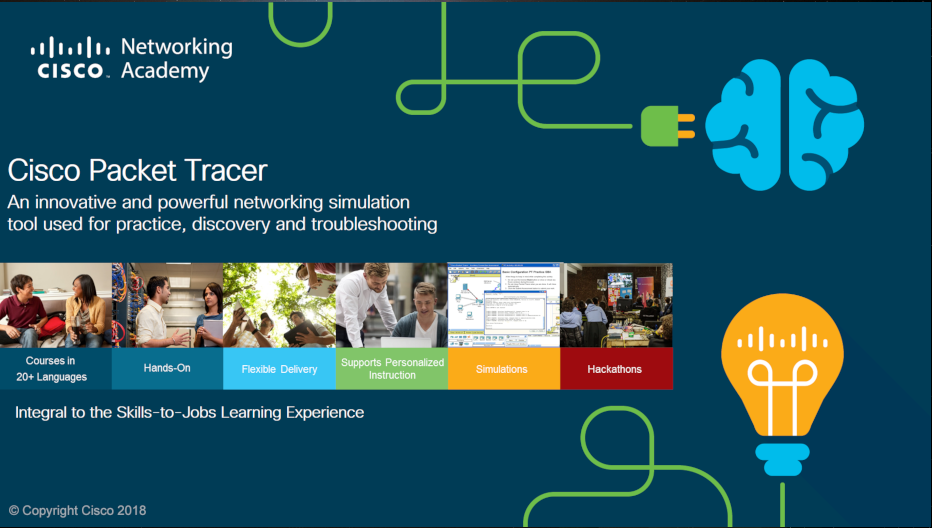
لینک های دانلود Cisco Packet Tracer
دانلود پکت تریسر سیسکو نسخه ویندوز x64 – حجم: 146 مگابایت دانلود پکت تریسر سیسکو نسخه ویندوز x32 – حجم: 135 مگابایت دانلود پکت تریسر سیسکو نسخه لینوکس x64 – حجم: 165 مگابایت دانلود پکت تریسر سیسکو نسخه مک – حجم: 181 مگابایت لینک دانلود Cisco Packet Tracer 6.2 (ویندوز) از گوگل درایوراهنمای نصب Cisco Packet Tracer 7.3.0
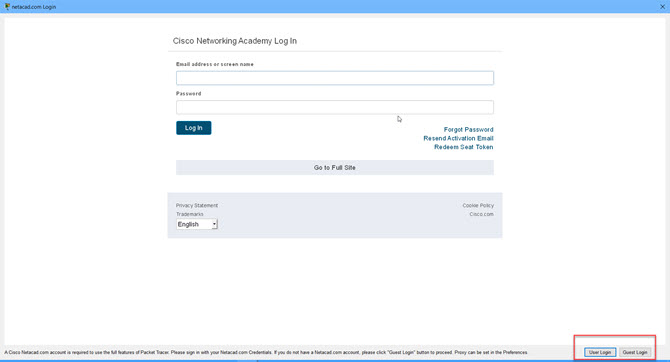
– این نرم افزار رایگان است. – بعد از نصب باید با استفاده از فیلترشکن در سایت مربوط به نرم افزار ثبت نام کنید. – نرم افزار را اجرا کنید و اکانتی که در مرحله ی قبلی ساخته اید را وارد کنید ( باید حتما یکبار لاگین انجام دهد).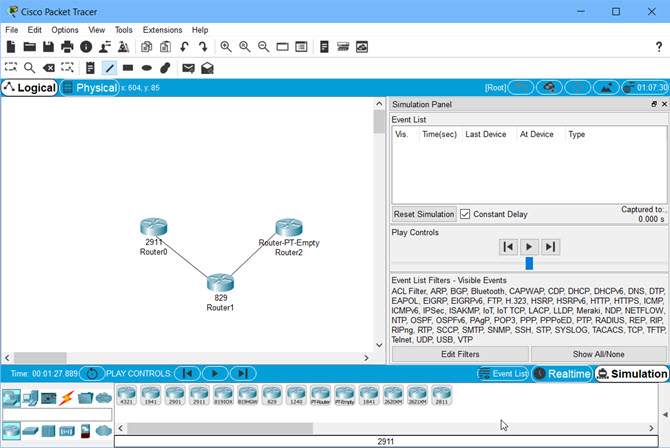 راهنمای نصب Cisco Packet Tracer 7.3
 راهنمای نصب Cisco Packet Tracer 7.3
Cisco Packet Tracer is a comprehensive, networking technology teaching and learning program that offers a unique combination of realistic simulation and visualization experiences, assessment and activity authoring capabilities, and opportunities for multiuser collaboration and competition. Innovative features of Packet Tracer will help students and teachers collaborate, solve problems, and learn concepts in an engaging and dynamic social environment. Some of the benefits of Packet Tracer are as follows:
● Provides a realistic simulation and visualization learning environment that supplements classroom equipment, including the ability to see internal processes in real-time that are normally hidden on real devices
Enables multiuser, real-time collaboration and competition for dynamic learning
● Enables authoring and localization of structured learning activities such as labs, demonstrations, quizzes, exams, and games
● Empowers students to explore concepts, conduct experiments, and test their understanding of network building
● Allows students and teachers to design, build, configure, and troubleshoot complex networks using virtual equipment
● Supports a variety of teaching and learning opportunities such as lectures, group and individual labs, homework, games, and competitions
● Supports feature expansion through external applications using an API to enhance the functionality of Cisco Packet Tracer in areas such as curriculum and assessment delivery, games, accessibility, and interfacing with real equipment.
What’s new in Cisco Packet Tracer 7.3 ?
Packet Tracer 7.3 main new feature is the support of the CCNA 7 package which is not compatible with previous Packet Tracer versions. For CCNA 6 (and older versions), Cisco recommends instructors and students to stay with Packet Tracer 7.2.2. Students learning both CCNA 6 and 7 should use Packet Tracer 7.3.0.
Packet Tracer 7.3 workspace improvements :
New workspace themes
Aligned workspace objects
Ability to deploy network devices to a specific rack
Accessibility update
Ability to name a physical rack
Protocol and software improvements :
IP OSPF Point-to-Point on Ethernet interface
IPv6 OSPF Point-to-Point on Ethernet interface
Dynamic ARP inspection
Upgraded PTSA and PTMO support
Various enhancements to existing protocols
New devices in Packet Tracer 7.3 :
Cisco 4331 Integrated Services Router
Cisco Wireless Lan Controller 3504
Packet Tracer 7.2 workspace improvements:
- New themes
- Align workspace objects
- Ability to deploy the device to a specific rack
- Accessibility update
- Ability to name a rack
Protocol and software improvements :
- PPPoE support
- 802.1x (useful for CCNP certification exam)
- Answer tree filter
- Real TCP server
- Real WebSocket
- Real-time activity grading
- Additional IOS security features
- Protocol improvements
New devices in Packet Tracer 7.2
- ASA 5506-X firewall (FirePOWER features not supported)
- Meraki security appliance
- Meraki server (for Meraki security appliance centralized configuration, emulating Cisco Meraki dashboard)
- Home router with advanced wireless capabilities (2.4G, 5G, beamforming, wireless bridge, …)
Packet Tracer is a cross-platform visual simulation tool designed by Cisco Systems that allows users to create network topologies and imitate modern computer networks. The software allows users to simulate the configuration of Cisco routers and switches using a simulated command line interface. Packet Tracer makes use of a drag and drop user interface, allowing users to add and remove simulated network devices as they see fit. The software is mainly focused towards Certified Cisco Network Associate Academy students as an educational tool for helping them learn fundamental CCNA concepts. Previously students enrolled in a CCNA Academy program could freely download and use the tool free of charge for educational use.
Packet Tracer can be run on Linux and Microsoft Windows and also macOS. Similar Android and iOS apps are also available. Packet Tracer allows users to create simulated network topologies by dragging and dropping routers, switches and various other types of network devices. A physical connection between devices is represented by a "cable" item. Packet Tracer supports an array of simulated Application Layer protocols, as well as basic routing with RIP, OSPF, EIGRP, BGP, to the extents required by the current CCNA curriculum. As of version 5.3, Packet Tracer also supports the Border Gateway Protocol.
In addition to simulating certain aspects of computer networks, Packet Tracer can also be used for collaboration. As of Packet Tracer 5.0, Packet Tracer supports a multi-user system that enables multiple users to connect multiple topologies together over a computer network. Packet Tracer also allows instructors to create activities that students have to complete. Packet Tracer is often used in educational settings as a learning aid. Cisco Systems claims that Packet Tracer is useful for network experimentation.
Packet Tracer allows students to design complex and large networks, which is often not feasible with physical hardware, due to costs. Packet Tracer is commonly used by CCNA Academy students, since it is available to them for free. However, due to functional limitations, it is intended by CISCO to be used only as a learning aid, not a replacement for Cisco routers and switches. The application itself only has a small number of features found within the actual hardware running a current Cisco IOS version. Thus, Packet Tracer is unsuitable for modelling production networks. It has a limited command set, meaning it is not possible to practice all of the IOS commands that might be required.Packet Tracer can be useful for understanding abstract networking concepts, such as the Enhanced Interior Gateway Routing Protocol by animating these elements in a visual form. Packet Tracer is also useful in education by providing additional components, including an authoring system, network protocol simulation and improving knowledge an assessment system.